Source: VERCRelated: AviKit
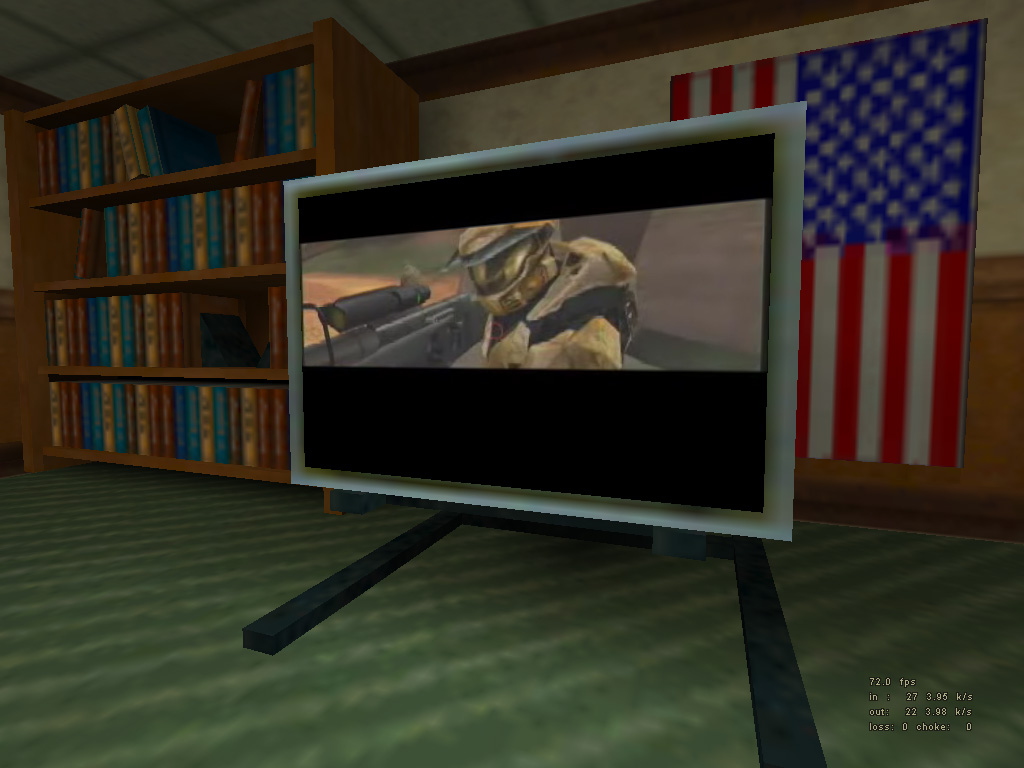
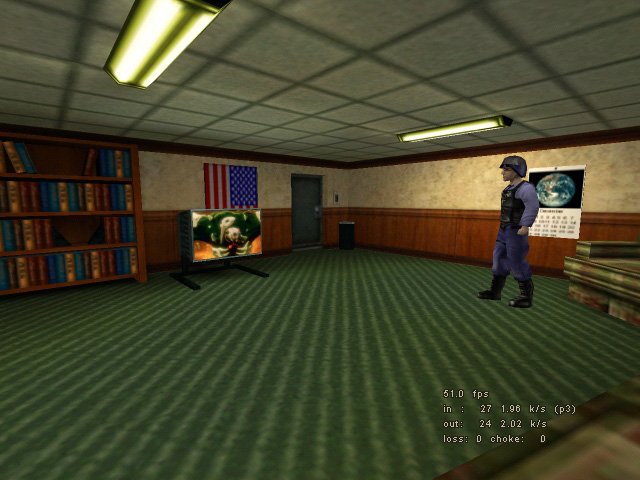
I bet this subject has been discussed more then once at the Collective Forums. It’s about video playback inside the Half-Life Engine. Some people claim its possible, others claim it’s not possible.Well, I have news for you. It IS possible. The people over at AviKit, which is also the name of the project, did it.Of course, it requires some advanced coding. I will not go into that due to my current lack of coding experience. The AviKit website has plenty of online documentation about this.With the new client and hl.dll, mappers/modders are able to display an Avi file inside a Half-Life map. Here are 2 screenshots.Impressive huh? Try it out yourself by downloading the AviKit package. This package contains all the source code and libraries you need to code this into your project. The AviKit creators also included a small example mod with precompiled client and hl.dll files, and an example bsp with map file. These are located in samples/akhl. Copy this akhl folder to your Half-Life directory. You now should have something like this: /Half-Life/akhl/The only thing left to do, before you can see the effect, is to look for an avi file on the Internet or on your computer. If you have one, place the file in a random directory. I personally recommend something like Half-Life/akhl/avi/). Then open up playlist.txt which is located in the akhl root directory. Here you can specify the paths to any avi file you want. Enter the path to your avi file here, the whole path. Safe the file and load up the mod.Note that not every avi will work in Half-Life, due to missing codecs for example. It’s just some experimenting with different avi files.